
Browser pairing
1
Install the plugin
bash openclaw plugins install @useorgx/openclaw-plugin 2
Open the dashboard
Visit
http://127.0.0.1:18789/orgx/live from your OpenClaw runtime.3
Start pairing
Click Connect OrgX in the onboarding panel.
4
Confirm on web
Sign in at useorgx.com and approve the OpenClaw
connection.
5
Return to OpenClaw
The plugin stores a dedicated credential. Confirm the connected state in the
plugin before using OrgX tools.
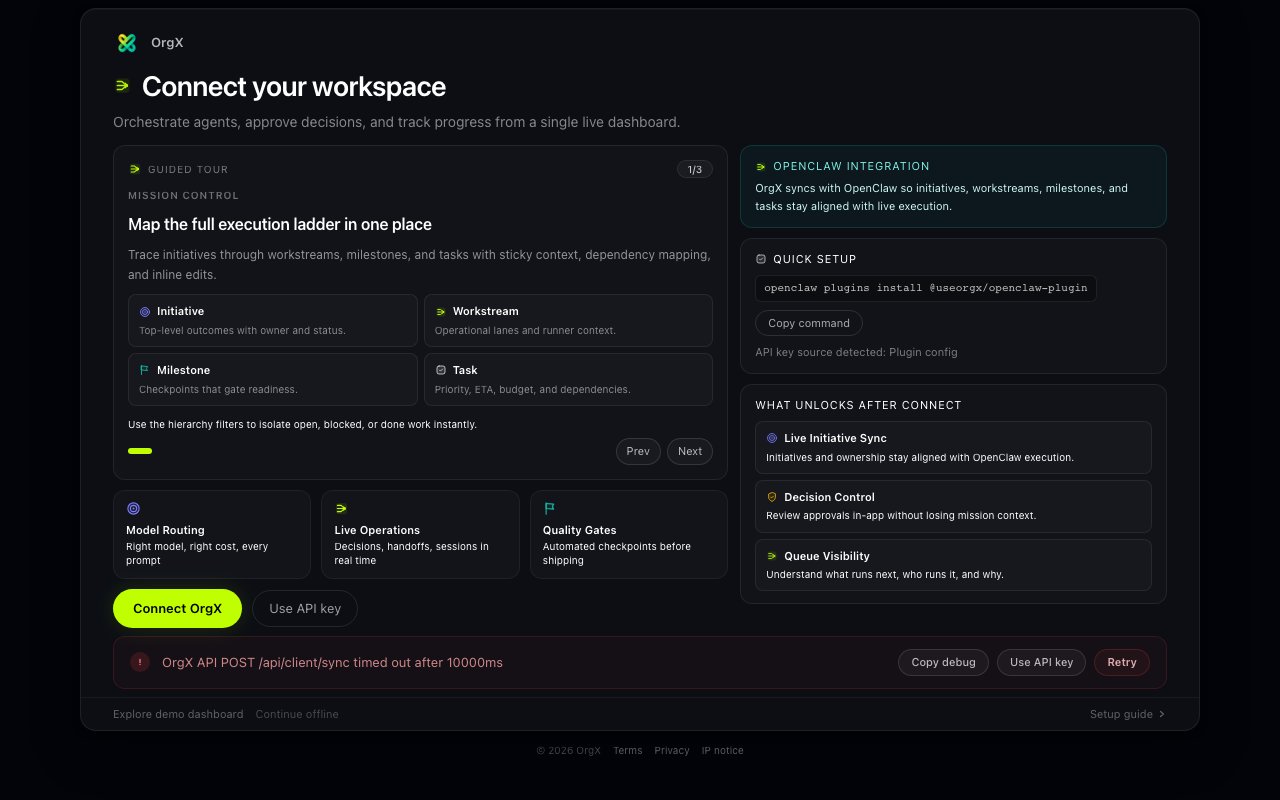
How Pairing Works
- OpenClaw requests a short-lived pairing session from OrgX.
- OrgX opens a secure browser confirmation page tied to that session.
- After confirmation, OrgX provisions a plugin-scoped key for that installation.
- OpenClaw receives the key, stores it locally with restricted file permissions, then acknowledges receipt.
Manual Key Fallback
If browser pairing is blocked, use Use API key instead in onboarding.Step-by-step (With Screenshots)
- Open OrgX settings and go to API keys:
https://useorgx.com/settings#security
- Generate a new API key (keep it private).

- In OpenClaw onboarding, choose Use API key instead.
- Paste the
oxk_...key and submit.
- On success, onboarding should show Connected. Run the read-only status or sync check before relying on the connection.
Manual key fallback is for auth recovery. It does not grant GitHub, Linear, or
other provider permissions; those connections require their own documented
authorization.
First-Run Validation Checklist
Onboarding status changes to Connected
The dashboard loads the connected session and available activity
orgx_status returns OrgX workspace data from the plugin toolsThe first status or sync request completes on a healthy network
Troubleshooting Matrix
Rotate, Revoke, Reconnect
- Revoke plugin credentials from OrgX API key settings when rotating access.
- In OpenClaw onboarding, click disconnect (or clear and reconnect).
- Run browser pairing again to mint a fresh installation-scoped credential.
Security Notes
- The plugin stores its installation credential in the local OpenClaw runtime. Treat the runtime’s credential store as sensitive.
- Browser pairing avoids copy/paste secret handling on the primary path.
What the Plugin Enables
The OpenClaw plugin gives you more than onboarding:
See the full code-generated tool matrix in OpenClaw Plugin MCP Tools.